The jCenter & Bintray is Shutting Down. Now What?
By Wajahat Karim • 05.Feb.2021
Update — 11th February 2021
To better support the community in this migration, JFrog has extended the JCenter new package versions submission deadline through March 31st 2021. This means that open source library creators who have libraries hosted on JCenter through Bintray can add more versions till March 31st 2021.
For normal Android app developers, the JCenter repository will keep serving packages for 12 months until February 1st 2022. Only the JCenter REST API and UI will be sunsetted on May 1st 2021. This means that if your app uses jcenter maven for any third-party libraries, then your app can be compiled until next year February 2022. So, you should start migrating to other repositories given the time of 1 year now.
If you are an Android developer and have some open source libraries available on jCenter, then you would have received an email from JFrog team today. This emails says that [JFrog is shutting down the jCenter, Bintray and some other services](https://jfrog.com/blog/into-the-sunset-bintray-jcenter-gocenter-and-chartcenter/) starting from May 1, 2021. This merely leaves about 3 months to update your projects regardless if you are open source library developer or not.
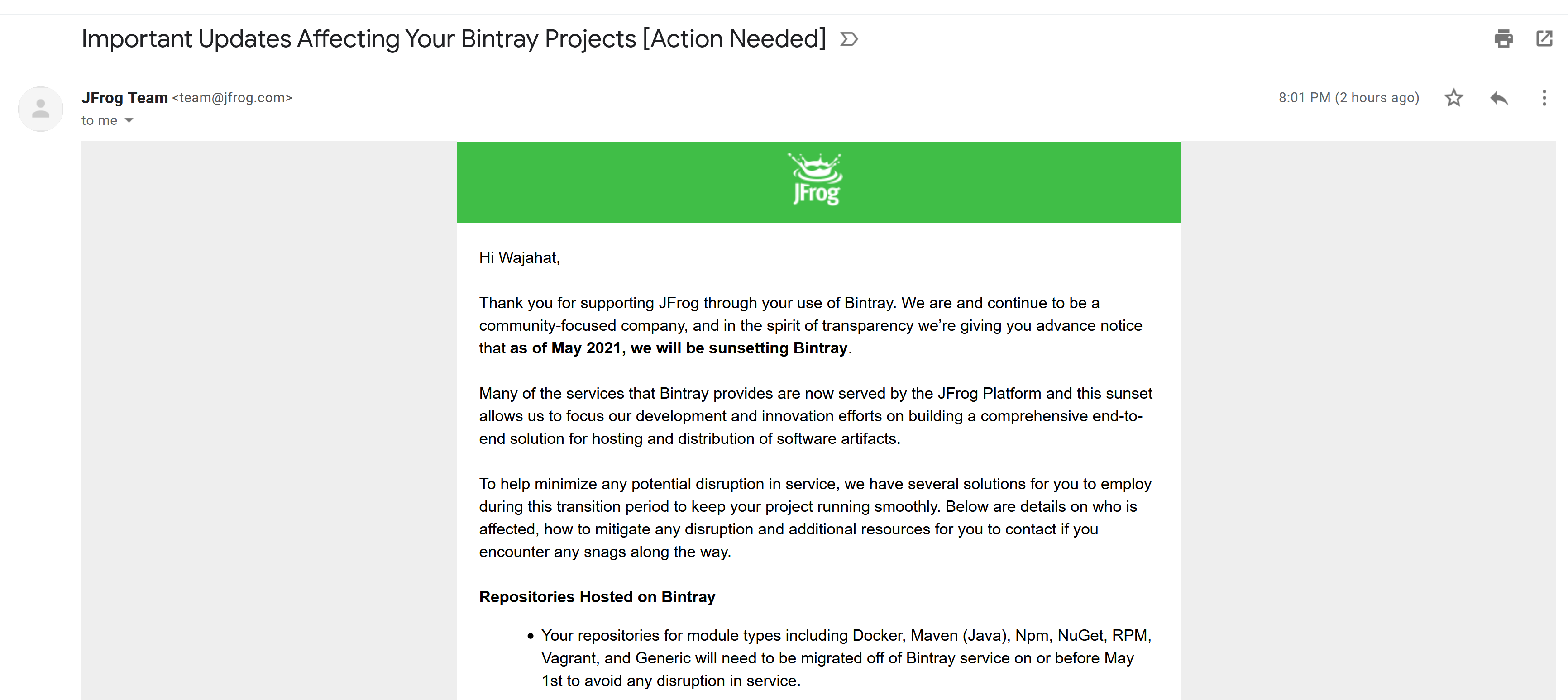
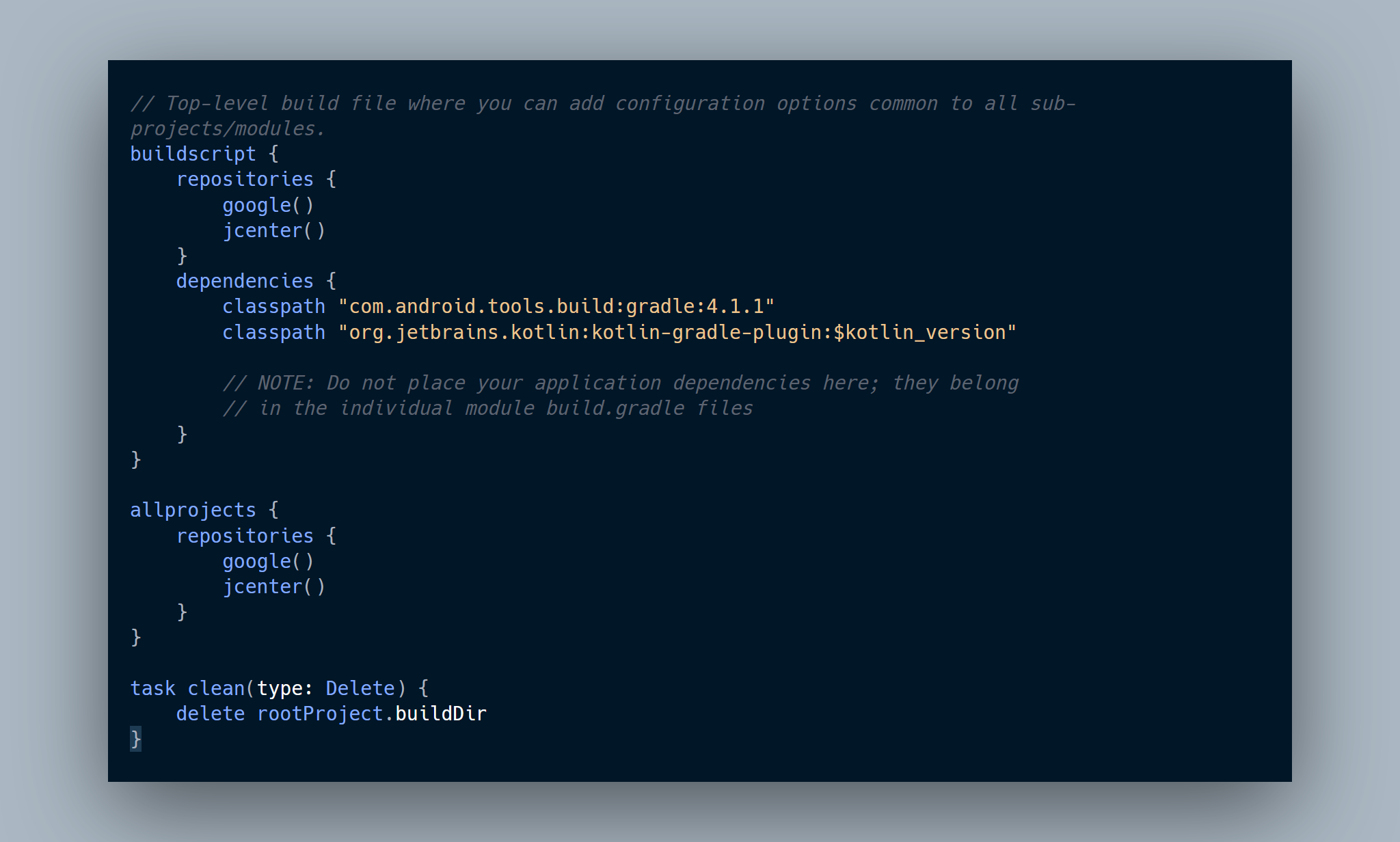
The jCenter is the very important part of Android development because a major fraction of Android artifacts are hosted on this site. Android Studio uses the jCenter and Google Maven by default in all the projects created by New Project wizard.
Now, since jCenter is shutting down, what this means for Android developers and how does this deadline of May 1, 2021 affects Android apps globally. I am going to explain this in two perspectives: for normal Android app developers and open source Android library creators.
I'm an Android app developer
As an Android app developer, your project includes many depenencies in your gradle files. These include the plugins such as kapt or libraries like Material Components, AppCompat, Kotlin Runtime, and third-party open source libraries. These dependencies are used in form of artifacts by Android Studio in your applications. Some of these artifacts are available on Google Maven, Jitpack, and MavenCentral but most of these are hosted on jCenter. This makes jCenter a sort of central repository for all these artifacts and developers have been relying on it for years. But not anymore...
With the jCenter's demise, it would be hard to just even compile the project and build APK from it. The easiest way to check if your app depends on jCenter or not is to replace jCenter with mavenCentral in your build.gradle files. A lot of artifacts are synced and mirrored on Maven Central from jCenter, so it's possible that your app works with Maven Central. But, if it doesn't, you will get some error like this:
* What went wrong:
Could not determine the dependencies of task ':app:assembleDebug'.
> Could not resolve all artifacts for configuration ':app:debugCompileClasspath'.
   > Could not find com.wajahatkarim3:easyflipview:1.0.0.
     Required by:
         project :app
And for the libraries which throws this error above, you need to wait for when the library creators host it on some other repository and make it available again. You can let these developers know by creating an issue like this on their library projects. Jereon Mols has explained this in more details on his article about migrating from jCenter. You can read it here.
{{% linkpreview title="Migrating away from JCenter" subtitle="This week JFrog - out of nowhere - announced to completely remove their Maven repository. Since they’ll pull it offline already by May 2021 (!!!) it’s time to urgently migrate away. This blogpost will guide how to get started." link="https://jeroenmols.com/blog/2021/02/04/migratingjcenter/" thumbnail="https://jeroenmols.com/img/blog/migratingjcenter/migratingjcenter.jpg" %}}

I'm an Android open source library creator
If you have created any open source library for Android and is hosted on jCenter through Bintray, then you need to figure out where you can move your library now. There are multiple solutions such as Jitpack, MavenCentral, Github Artifacts, Google Cloud, or even your own hosting solution. I would recommend the MavenCentral.
Ideally, you should host all versions of your library, so that the developers who use older versions don't face any issue with their projects. But, if you are in hurry and don't have much time on your plate to accomodate this migration, the least you should do is deploy the latest version of your all libraries on any other hosting repository like MavenCentral.
There are many different articles available on how to deploy your library on MavenCentral. Here are my favorite ones listed below.
First is from a very good friend of mine Waseef Akhtar detailing the whole step-by-step manual process of hosting Android library artifacts on MavenCentral.
{{% linkpreview title="Publishing your first Android library to MavenCentral" subtitle="Recently, I got myself engaged in a new world of Android development: publishing an open source Android library." link="https://proandroiddev.com/publishing-your-first-android-library-to-mavencentral-be2c51330b88" thumbnail="https://miro.medium.com/max/1200/1*t0vBKgxddPOA4oiBycQ3tQ.png" %}}
Other one, which is a little more automated than previous from Márton Braun.

{{% linkpreview title="Publishing Android libraries to MavenCentral in 2021" subtitle="MavenCentral is the place to be for Android libraries, but publishing there is no easy task. Here's the step-by-step guide on how to do it." link="https://getstream.io/blog/publishing-libraries-to-mavencentral-2021/" thumbnail="https://stream-blog-v2.imgix.net/blog/wp-content/uploads/072ce00b22e7e4847d4a2c92b5550573/pexels-pixabay-256559.jpg?auto=compress%2Cformat&ixlib=php-3.3.0" %}}
Finally, there's some more details on this topic given by a Googler Chris Banes with some links and example libraries with the settings hosted on MavenCentral in this article.

{{% linkpreview title="Publishing to Maven Central" subtitle="A collection of resources which make it easy to publish your library to Maven Central." link="https://chris.banes.dev/publishing-to-maven-central/" thumbnail="https://res-1.cloudinary.com/dwihnuu0r/image/upload/q_auto/lysander-yuen-wk833OrQLJE-unsplash.jpg" %}}

At the end, please don’t forget to Subscribe to my newsletter to get more tutorials and tips on Android development directly in your inbox.